What Is the Google Version of Teams? The Eight Swaps, and the Two That Are Not
Somebody in every team asks it eventually: what is the Google version of Teams? Or the Microsoft version of Docs. The two suites do the same eight jobs under different names, and the confusion is almost entirely vocabulary.
Here is the map, followed by the more useful part – the places where the equivalence quietly breaks, and what actually changes on the first morning after you switch.
The eight equivalents
Same job, two names. Nothing in this table is a matter of opinion.
| The job | Microsoft 365 | Google Workspace | Worth knowing |
|---|---|---|---|
| Outlook | Gmail | Gmail organises by labels, Outlook by folders. One message, several labels – that trips people up on day one. | |
| Storage | OneDrive | Google Drive | Free tiers differ: 5 GB on OneDrive, 15 GB on Google – but that 15 GB is shared with Gmail and Photos. |
| Forms | Microsoft Forms | Google Forms | The closest match of the eight. Both feed answers straight into a spreadsheet. |
| Documents | Word | Google Docs | Docs has no Save button; it saves as you type. Word files open in Docs and download back as .docx. |
| Slides | PowerPoint | Google Slides | PowerPoint files open in Slides. Complex animations are where decks stop travelling cleanly. |
| Spreadsheets | Excel | Google Sheets | Formulas are largely the same. Some Excel-only functions have no equivalent in Sheets. |
| Notes | OneNote | Google Keep | Listed as a pair, but see below. These two are not doing the same thing. |
| Chat | Teams | Google Chat | Also see below. Teams covers chat and meetings; on the Google side, meetings live in Meet. |
Which side, honestly
Neither suite is better in the abstract, and anyone telling you otherwise is selling something. The choice is decided by how you work, not by which logo you prefer.
| Microsoft 365 | Google Workspace | Both, deliberately |
|---|---|---|
| Pick it if you
Work with big, complex spreadsheets Need everything to work properly offline Are joining an organisation already running on Teams Excel is still the stronger tool for heavy data and for working on a plane. |
Pick it if you
Edit the same file with other people in real time Work mostly in a browser, on any machine Want more free storage to start with Nothing beats Docs and Sheets for five people editing at once. |
Most people end up here
School or client on one, your own work on the other Files open across both, so the split costs less than it sounds Tip: keep Office files in Google Drive and they open straight into Docs and Sheets. |
The post this came from
Watch the original reel
All eight pairs on one card – the version this article was written around, posted on the BANI Academy page.
Two pairs that are not really pairs
Six of the eight rows are honest swaps. Two are shorthand, and knowing which is which saves an afternoon of confusion.
Teams is not Google Chat. Teams bundles messaging and meetings into one application. Google splits those jobs: Chat handles the messaging, Meet handles the calls. So the row is accurate as far as it goes, but if you switch expecting one app to cover both, you will spend a week wondering where the video button went. On the Google side you are learning two products, not one.
OneNote is not Google Keep. Keep is a quick-capture tool – short notes, checklists, things you want back in ten seconds. OneNote is a notebook, with sections and pages and long-form structure. They overlap at the small end and diverge completely at the large end. If your notes are a paragraph, the swap is fine. If your notes are a research archive, it is not a swap at all.
Everything else in the table genuinely is the same job with a different label, which is why switching sides is far less disruptive than people expect.
What actually feels different on day one
The panic when you switch is never about formulas. It is about five small habits that stop working.
| What changes | What to do about it |
|---|---|
| There is no Save button in Docs or Sheets | Nothing. It has already saved. Version history is under File, and it is better than the saving you were doing. |
| Gmail uses labels, not folders | Stop thinking about where a message lives. One message can carry several labels at once. |
| Some Excel-only functions do not exist in Sheets | Check your heaviest workbook first, before you migrate anything else. That file decides the whole question. |
| Chat and Meet are separate products | Learn where the meeting link is generated once, then stop thinking about it. |
| You need a file back in Office format | File → Download, then .docx, .xlsx or .pptx. It works in both directions, any time. |
What this has to do with running a channel
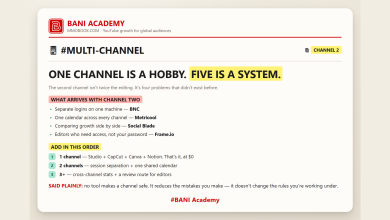
More than it looks. A channel operation is four files and a folder, and both suites hand you all five on the free tier.
The publishing calendar, the board showing where each channel is stuck and the monthly numbers – the three views we argued for in a bad month is data, not a verdict – are three tabs in one spreadsheet. Sheets or Excel, it genuinely does not matter which. What matters is that the file exists and gets filled in, because six months of mediocre records beat one month of perfect ones.
Then there is storage, which is the row people underestimate. Raw footage eats a free tier in an afternoon, and the Google 15 GB is shared with your inbox and your photos, so the real working figure is lower than the headline. Decide where masters live before you have 200 GB of them and no plan.
Forms is the quiet one. A three-question form is the cheapest audience research there is, and the answers land in a spreadsheet you already have open. That is the sort of unglamorous routine that compounds – the kind we listed in the ten habits a channel is actually built on.
And both suites now ship an assistant inside the documents themselves. Useful, with the same caveat as everywhere else: the output is only as good as what you specify, which is the whole argument in vague in, vague out. If you are deciding what else belongs in the stack, the ten jobs in sixty AI tools, ten jobs is the map we use.
Frequently asked questions
Can I open Word files in Google Docs?
Yes, and PowerPoint in Slides, and Excel in Sheets. You can download back to Office format from File → Download whenever you need to.
Which has more free storage?
Google, at 15 GB against 5 GB – but Google’s allowance is shared across Gmail, Drive and Photos, so a full inbox eats into your file storage.
Is Excel really better than Sheets?
For heavy data and for offline work, yes. For several people editing the same file at once, no. Both statements are true at the same time.
Do I have to pick one?
No, and most people do not. School or client on one, your own work on the other, is an extremely common and perfectly workable arrangement.
Open one file today
Forget the suite question for a moment. Open whichever spreadsheet app you already have and make three tabs: what you published, where each project is stuck, what came in this month. Fill in this month roughly and close it.
That file will outlive whichever suite you are arguing about, and in six months it is the only thing on your machine that can tell you whether anything is working.
Learning a lot does not make anyone good. Doing a lot does.
If you want the structure that makes that stick, that is what our free challenge is built for: no barrier to entry, a genuine commitment to action, and a refundable commitment fee you get back when you finish. You are not paying for the knowledge. You are betting on yourself finishing, and we hold the stake.
Blue, green, or both? Comment SUITE on the original reel and we will send the full comparison card, plus the one thing your side does better than the other.
For more on building channels for English-speaking audiences, that is what we work on at mmoyoutube.com.